
Colors & Gradients
Modern color spaces, gradients, and color-mix() in Takumi.
Takumi accepts every CSS color format the spec defines, including the wide-gamut and perceptual ones most CSS-to-image tools quietly drop on the floor. Pick the format that matches how you reason about the design.
Color formats
<div style={{ color: "#1a6ef5" }} />               // hex
<div style={{ color: "#1a6ef5cc" }} />             // hex with alpha
<div style={{ color: "rgb(26 110 245)" }} />       // rgb modern syntax
<div style={{ color: "rgb(26 110 245 / 0.8)" }} /> // rgba via modern syntax
<div style={{ color: "hsl(218 92% 53%)" }} />      // hsl
<div style={{ color: "oklch(0.7 0.2 240)" }} />    // perceptual lightness, chroma, hue
<div style={{ color: "oklab(0.7 -0.05 -0.2)" }} />
<div style={{ color: "color(display-p3 0.1 0.43 0.96)" }} /> // wide-gamut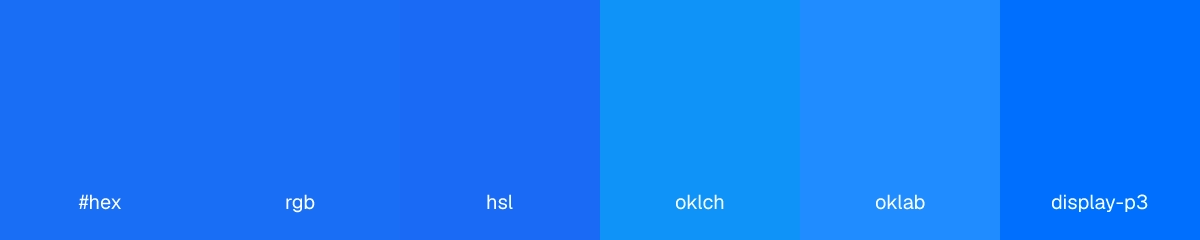
oklch is the right default for designers — perceptual lightness means a 60% L value reads as the same brightness across hues, so palettes stay balanced without manual fixups. display-p3 is the right pick when you need a color the sRGB gamut can't represent and you know the consumer (Apple devices, modern displays) renders it.
Linear gradients
<div
  style={{
    width: "100%",
    height: 200,
    backgroundImage: "linear-gradient(135deg, #6366f1 0%, #ec4899 50%, #f59e0b 100%)",
  }}
/>
Angle is measured from the top (0deg points up, 90deg points right). Stops can be any color format from above; mix them freely.
Radial gradients
<div
  style={{
    width: "100%",
    height: 400,
    backgroundImage: "radial-gradient(circle at 30% 30%, #fbbf24, #ec4899 60%, #1e1b4b 100%)",
  }}
/>
Shape (circle or ellipse), size (closest-side, farthest-corner, explicit length), and position (at <x> <y>) all work. Default is ellipse farthest-corner at center.
Conic gradients
<div
  style={{
    width: 400,
    height: 400,
    borderRadius: "50%",
    backgroundImage: "conic-gradient(from 0deg, #ef4444, #f59e0b, #10b981, #3b82f6, #ef4444)",
  }}
/>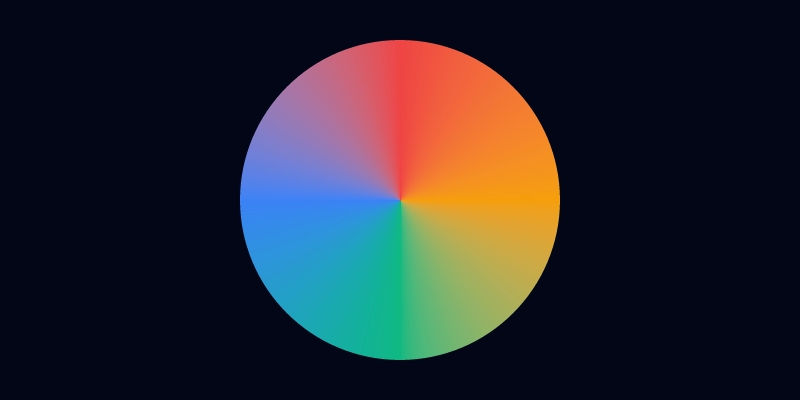
from <angle> rotates the starting point. at <position> moves the center. The trailing color should usually match the leading one to close the wheel cleanly.
color-mix()
color-mix() interpolates between two colors in a named color space. Lets you keep one source of truth for a palette and derive tints, shades, and overlays without committing pre-mixed hex values.
<div style={{ color: "color-mix(in oklch, #1a6ef5 40%, white)" }} />
<div style={{ color: "color-mix(in srgb, red, blue)" }} />
<div style={{ background: "color-mix(in oklch, var(--brand) 80%, transparent)" }} />
The color space matters. in oklch interpolates lightness/chroma/hue separately so the midpoint stays perceptually balanced; in srgb interpolates RGB channels and often produces a muddy midpoint. Default to oklch unless you have a reason not to.
Last updated on